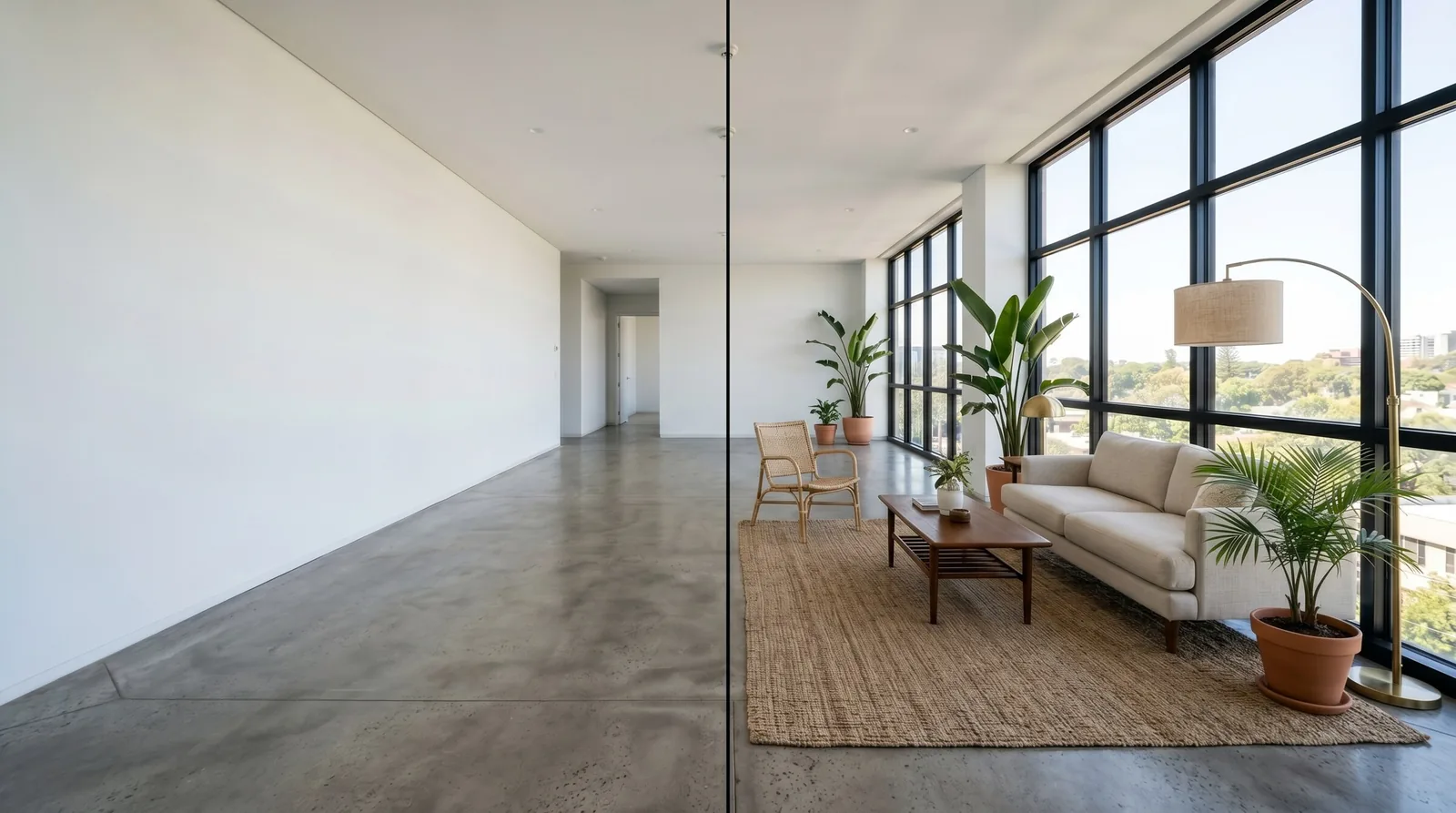
You've just seen an empty apartment, or you're staring at your current one wondering how it could look. The hard part isn't the money — it's picturing it. Paint swatches and furniture catalogs only get you so far. What you really want is to see the finished room, in your actual space, before spending anything. In 2026 you can do exactly that, online, in about a minute. Here's how.
The problem with imagining a room
Most people are bad at visualizing empty space — and that's completely normal. An empty apartment looks smaller and colder than it will once furnished. A bare wall gives no hint of what a warm color would do. So we make expensive decisions half-blind:
- We buy furniture that turns out wrong for the room.
- We pick a paint color that looks nothing like the swatch once it's on the wall.
- We hesitate on an apartment because we can't see its potential.
- We hire a designer partly just to show us what they mean.
Seeing the finished room first removes the guesswork — and the costly mistakes.
What "apartment design online" gives you
The idea is simple: take a photo of your real room and get back a realistic picture of that same room, furnished and styled the way you want. The room stays the same — same windows, same walls, same proportions — but now you can see it with furniture, color, and light.
That means you can:
- Try styles — Scandinavian, warm minimalist, classic — on your actual room, not a showroom.
- Test before buying — see whether that sofa color works before ordering.
- Decide on an apartment — picture the potential of a place you're considering.
- Plan a refresh — see the result before you paint or rearrange.
How to do it, step by step
1. Take a photo of the room
Stand in the doorway or a corner so the whole room is visible, and shoot in even daylight if you can. Tidy away anything you don't want in the picture. A clear, well-lit photo gives the best result.
2. Upload it
Open the tool in your browser and upload your photo. No software to install, nothing to learn.
3. Describe the look you want
Use everyday words — you don't need design jargon:
"Cozy Scandinavian living room, light wood floor, white walls, a soft grey sofa, a few plants, warm evening light."
Name a style, a couple of colors or materials, and the mood. That's enough.
4. See it and adjust
In about a minute you get a realistic picture of your room in that style. Want it warmer, or a round coffee table, or a rug? Ask for that one change and it updates — no starting over.
One important tip: your room stays your room
The technology keeps your room's actual layout — the walls, windows, and doors stay where they are. It only changes the style: furniture, colors, materials, lighting. That's what makes it genuinely useful — you're seeing your apartment restyled, not a random pretty room.
If you specifically want to test knocking down a wall or merging two rooms, you can — but you have to say so clearly. Otherwise the layout is kept exactly as it is.
Real situations where this helps
Before you buy furniture. See the sofa, the palette, and the layout together before you spend. Returns and regret are expensive; a one-minute preview isn't.
Before you rent or buy. Walking an empty apartment? Picture it furnished before you decide. It's easy to underestimate a space when it's bare.
Before a small refresh. Thinking about new paint or rearranging? See the outcome first, then commit with confidence.
When working with a designer. Bring your own quick visualizations to the conversation so you and your designer are literally on the same page.
What it costs
This is the part that surprises people. A designer's visualization can cost a lot and take days. Online, it's about a dollar per picture, done in a minute, with changes costing pennies. You can try five styles for less than the price of a single takeout meal — and only keep the one you love.
The honest limits
This gives you a beautiful, realistic preview — perfect for deciding, comparing, and getting excited. It is not a technical plan for a contractor, and it won't measure your room for you. Think of it as trying on the room before you buy it, not as construction documentation.
Get started
Pick one room, snap a clear photo, and describe the style you're dreaming about. In a minute you'll see it — and you'll make your furniture, color, and even rent-or-buy decisions with your eyes open instead of guessing.
If you're planning bigger changes, read renovation visualization: see your space before you renovate. Building a whole home instead? Start with home rendering online.