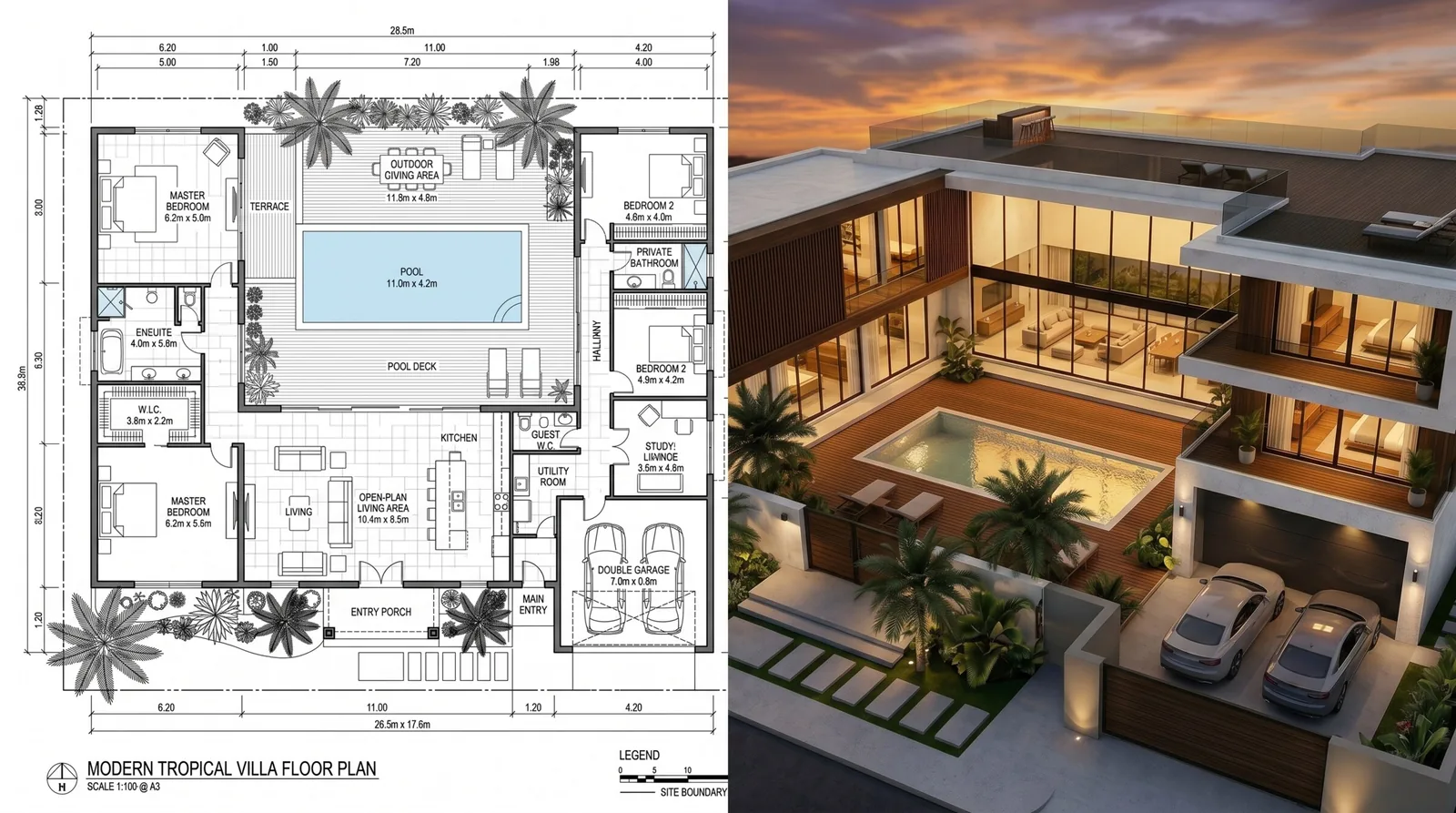
You have a sketch, a floor plan, or just a rough idea of the house you want to build — and you want to see it before you spend money on it. Until recently that meant hiring a visualization studio, paying hundreds of dollars, and waiting a week for a single picture. In 2026 you can get that picture online, yourself, in about a minute, for roughly the price of a coffee. This short guide shows exactly how.
What "home rendering" actually means
A render is simply a realistic picture of a building that doesn't exist yet — or doesn't look finished yet. Instead of an architect's flat drawing or a plain 3D model, you get something that looks like a real photograph: real materials, real sunlight, real surroundings.
People want this for all sorts of reasons:
- You're building a house and want to see the design before you commit.
- You're choosing between two facade options and need to compare them visually.
- You want to show family, a bank, or a builder what you have in mind.
- You just want a beautiful picture of your future home.
Whatever the reason, the goal is the same: turn what's in your head (or on paper) into a picture anyone can understand at a glance.
The old way vs. the online way
For decades, getting a render meant one path: find a specialist, brief them, pay them, wait. It worked, but it was slow and expensive — and every change cost more money and more days.
| Traditional studio | Online rendering | |
|---|---|---|
| Price per picture | $300 – $1,000+ | ~$1 per render |
| Time | 3 – 10 days | ~60 seconds |
| Changes | Extra fee, extra wait | A quick edit, seconds |
| Software needed | The studio's | Just a browser |
| Who can do it | A specialist | Anyone |
The online route isn't a slightly cheaper version of the old way — it's a different thing entirely. You upload what you have, describe what you want, and get a picture back before your kettle boils.
How to do it in 30 seconds
1. Start with what you have
You don't need a fancy 3D model. Any of these works:
- A hand sketch of the house.
- A floor plan (even a photo of one on paper).
- A photo of the empty plot where the house will go.
- Nothing but a description, if that's all you have.
2. Upload it
Open the tool in your browser and upload your image. If your input is a drawing or a 3D model rather than a real photo, there's a checkbox to say so — tick it, and the result comes out looking like a real building instead of a technical drawing.
3. Describe the result you want
Write a plain-language description of the finished house. You don't need architect vocabulary — just say what you see:
"Two-story modern house, white walls and wood accents, big windows, a tidy garden, sunny afternoon."
The more you describe — materials, colors, time of day, surroundings — the closer the picture matches your vision.
4. Get your picture and tweak it
In about a minute you get a photorealistic image. If something's not quite right — you wanted a darker roof, or the sun lower, or a pool added — you can adjust it with one more sentence instead of starting over.
Behind the scenes (the short version)
You might be wondering how a website does in a minute what used to take a specialist a week. The short answer: modern image technology now understands buildings. It reads your sketch or plan as the shape of the house, then paints in realistic materials, light, and surroundings automatically. You don't need to know how it works any more than you need to know how a camera focuses — you just get the result.
What you can realistically expect
Being honest about this matters, so here's the truth:
- What it's great at: beautiful, convincing pictures of your future home, fast and cheap; comparing options; showing your idea to others.
- What it's not: a substitute for engineering drawings or exact construction plans. It's a picture, not a blueprint.
For 95% of homeowners, a convincing picture is exactly what they wanted — the blueprints come from your architect or builder separately.
Common questions
Do I need any software or skills? No. If you can upload a photo and type a sentence, you can do this.
What if I only have a floor plan? That's a perfect starting point. Plans turn into 3D exterior views nicely — see our guide on apartment design online for the interior equivalent.
Can I show the house on my actual land? Yes — upload a photo of your empty plot along with a reference of the house, and you can see the building sitting on your real site. This is popular with people showing a project to family or a bank.
How much does it really cost? Around a dollar per picture on pay-as-you-go pricing, versus hundreds at a studio. You only pay for what you make.
The bottom line
Seeing your future home used to be a luxury that cost hundreds and took a week. In 2026 it's a one-minute, one-dollar task you can do yourself from your phone or laptop. Start with whatever you have — a sketch, a plan, or a plot photo — describe the house you want, and get a picture back before your coffee's ready.
If you're renovating rather than building, read renovation visualization: see your space before you renovate. If you're a professional presenting to clients, see how to present your project to a client.